Wake-on-LAN for the whole Apple family

One tap, and your computer wakes up.

MagicPing wakes PCs, Macs, NAS boxes, and servers on your home network – from your iPhone, Mac, Apple TV, and Apple Watch. And when you are done, it shuts them down again over SSH.

Press me – wake the gaming PC
Gaming PC
192.168.1.42
Offline
MAC 3C:7C:3F:A1:9B:04
iPhone iPad Mac Apple TV Apple Watch
Why MagicPing

There are plenty of Wake-on-LAN apps.
None of them think in your whole home.

Most WOL apps are a single iPhone app with a list. MagicPing is a family of apps that shows up wherever you actually need your computer.

Typical WOL app

  • iPhone only – retype your list on every device
  • Wakes only. Shutting down? Nope.
  • No place in the living room, no Watch, no Apple TV
  • Ads, accounts, or cloud servers in the background
  • "On or off?" – you get to guess

MagicPing

  • One list, synced via iCloud to iPhone, iPad, Mac, Apple TV & Watch
  • The full cycle: wake with a magic packet, shut down over SSH
  • Apple TV launcher for the couch, waking right from your wrist
  • No backend, no accounts, no tracking – passwords only in the keychain
  • Live status: see who's online – and for how long
What you actually need it for

Off while it sleeps.
There the moment you need it.

A computer running 24/7 burns power and patience. MagicPing lets it sleep – and wakes it at exactly the right moment.

Gaming from the couch

Turn on the Apple TV, tap "Gaming PC" in the launcher – MagicPing wakes it and shows you as soon as Sunshine responds. Then stream via Moonlight. The PC sits in the office, you sit on the couch.

Apple TV → Moonlight / Sunshine

Home-office machine

Wake your office Mac from the iPhone in the morning before you connect via Remote Desktop or SSH. In the evening MagicPing shuts it down again – the machine only runs while you work.

Wake · RDP/SSH · Shut down

NAS & media server

Plex, Time Machine backups, or your photo library live on the NAS? Wake it only when you need it instead of running it around the clock – and put it back to sleep when the movie ends.

Plex · Backups · Photo server

Home lab & quiet server

The tinkering server in the basement, the Windows box for that one game, the Linux machine for compiling. All in one list, live status at a glance – on or off with one tap, from any Apple device.

Multiple machines · Live status
Why MagicPing exists

Born from a real problem.
Not from a business plan.

MagicPing – like everything from cozysoft – is a hobby project of mine (hi, I'm Frank). It grew out of a very concrete need: I wanted to play the games running on my PC in the attic – comfortably, from the living-room couch.

I had actually been waiting for the Steam Machine – and you know how that turned out: too expensive for too little power. And with PCs barely affordable as of August 2026 (they certainly won't get cheaper), I upgraded my six-year-old machine instead. Now it flies again – easily good for another five years.

But that didn't solve my couch problem. Steam Remote Play never ran smoothly for me. There is an Apple TV in the living room though – and it's perfect for streaming games via Moonlight from a PC running Sunshine. One annoyance remained: climbing up to the attic before every session just to switch the PC on.

So I built my own fix: MagicPing. Finally.

— Frank

More from cozysoft

MagicPing is one of several hobby projects under the cozysoft umbrella — small apps that each solve one real everyday problem.

cozysoft.de →
The full cycle

Others only wake.
MagicPing also puts it back to bed.

For waking there's the magic packet. For shutting down MagicPing uses SSH – the password lives safely in the iCloud Keychain, never in the cloud database.

→ WAKE

Magic Packet

A UDP broadcast wakes any computer whose network card is listening for Wake-on-LAN. No software needed on the target – just the checkbox in BIOS/UEFI.

FF FF FF FF FF FF
3C 7C 3F A1 9B 04 ×16
→ Gaming PC starting up…
← SHUT DOWN

Cleanly over SSH

At the end of the day MagicPing shuts the machine down properly – Linux, macOS, and Windows with OpenSSH. User and command configurable per machine.

ssh frank@192.168.1.42
  shutdown -h now
🔒 password → iCloud Keychain
One list. Every device.

Enter it once.
There everywhere.

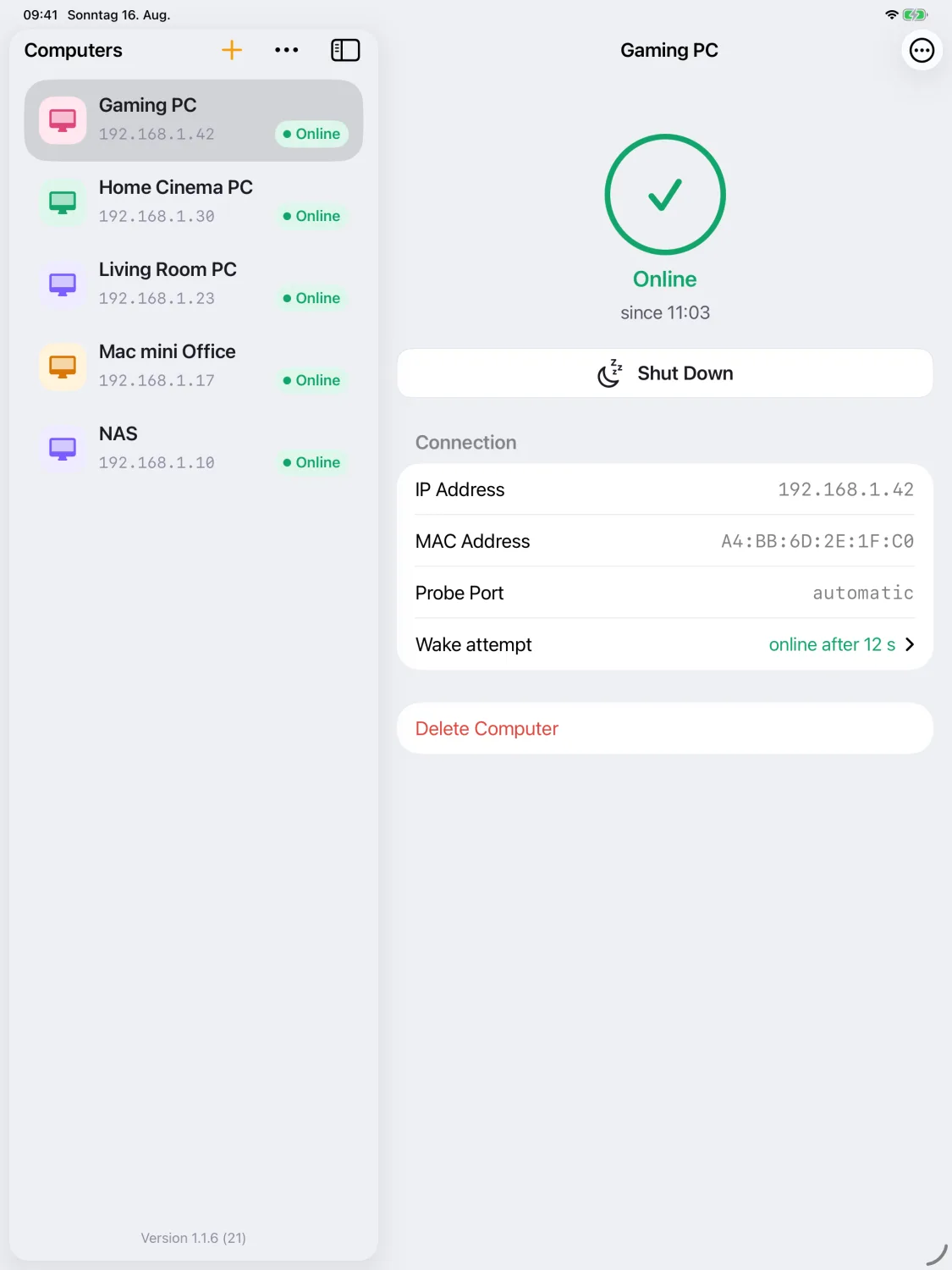
Add a computer once on your iPhone or Mac – via iCloud it appears on all your devices. No account, no sign-up, no server run by us.

MagicPing launcher on Apple TV
The Apple TV launcher – the fastest way from couch to running gaming PC.
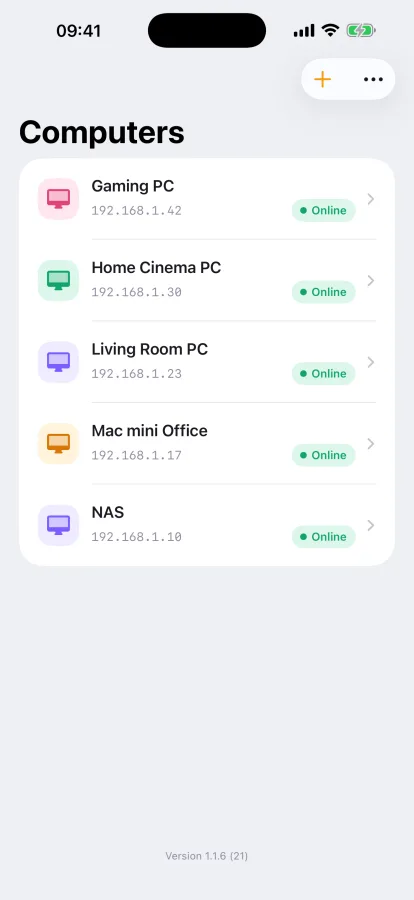
MagicPing on iPhone
iPhone · full management
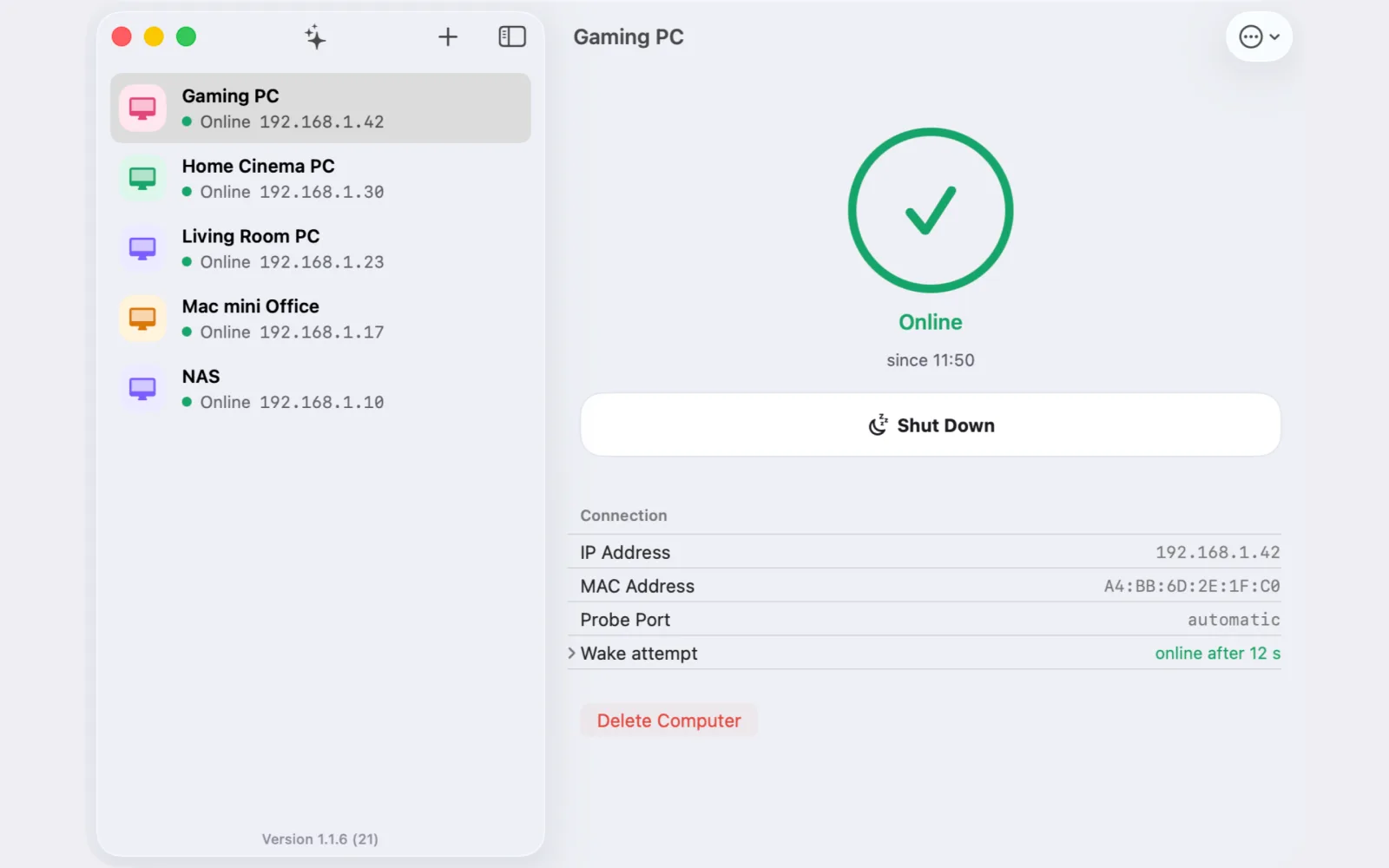
MagicPing on the Mac
Mac · split view
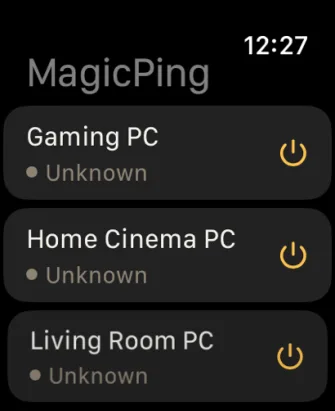
MagicPing on Apple Watch
Watch · from your wrist
Private by design

Your computers are nobody's business.
Least of all ours.

MagicPing has no backend of its own and collects no data. It only ever talks to the devices on your network.

No account, no server

No sign-in, no registration. There simply is no server of ours the app could talk to.

Passwords in the keychain

SSH passwords live exclusively in the iCloud Keychain – never in the synced database.

Your private iCloud

Your computer list lives in your private iCloud database. No tracking, no ads, no analytics.

Attention to detail

Small things that make the difference

Wake via magic packet

One or more machines with a single tap – as a UDP broadcast into your home network.

Live status "online for"

See at a glance who is reachable – and how long it has been up.

Shut down over SSH

Linux, macOS, and Windows with OpenSSH. Command configurable per machine.

Probe port, automatic

Sunshine, RDP, SSH, or SMB – pick one or let MagicPing detect it.

MAC without colons

Just type through – MagicPing inserts the separators for you.

iCloud sync

One list on all your devices – no account, no sign-up.

Let your computer sleep.
Wake it when it counts.

Free. For iPhone, iPad, Mac, Apple TV, and Apple Watch.